Merry Christmas followers!
And merry Rookie Adji Diop, from Senegal!


Her video...

SINCE 2011 Skif Marvel Customs, SKIF_MC

Merry Christmas followers!
And merry Rookie Adji Diop, from Senegal!
Alejandra has just reach the Avenger as a trained Sniper from Colombia. Hope all soldiers will not be too distracted.


and a video of the making....
Here we have a new one, new comer for the Team Menace...


And the video....:
Dear followers, I have seen that there is a wide discussed topic from customizers about how to create 3D figures from pictures.
I'll explain how to create your own 3D printable figurine from the 2D JPEG of the superhero of your dreams... But most important: for free.
What you need is a PC and nothing else, zero costs.
When you want to print it then you need a 3D printer and the game is done!
I'll also tell you the main errors of the most commonly used AI tools on the web and, more importantly, how to fix them.
Let's start by creating a figure.
Find a decent AI site that can transform your figure (I chose Caliban) into a good or at least decent STL file to print.
I generally choose Meshy or Rodin.
Meshy has better definition, but it's difficult to get a good number of free figures. I'll explain in another post how to get a minimum number of free figures from Meshy.
So, today, let's start with Rodin. Rodin offers you a welcome pack of 5 free points.
You'll spend 0.5 points for each figure you want to download.
For example, take your figure from Picinterest by downloading it to your PC in JPEG format.
See below Caliban just as a sample.


If it has a background, remove it using Paint (see next pic).

If removing the background doesn't satisfy you, because you MUST make your image as clean as possible, refine it using Paint. For example, I removed the shadow at the base of the feet because it could fool the AI see two pictures before and after below.


Okay now we have a clear, neat and useful picture ready to be transformed by the Rodin AI into a STL printable file.
Then upload it to Rodin by clicking the + button; this operation will not deduct points from your 5 welcome points. When you have the ico showing the picture you can click on generate. This click will not take any of the points from your wallet.


After a short while (picture beow on the left), you'll have a preview of your 3D figure (pic below on the right). If you like it, confirm it, and only after clicking "confirm" it will take 0.5 points (for each figure, that means 5 points = 10 3D figures for free, in reality we can say 9, see below why) .


In my case, I only had 0.5 points remaining, but Rodin doesn't like it and refuses to create the 3D figure of my Caliban (see pic below). You need at least 1 point remaining, to consume your 0,5 point for the figure!

Let's suppose I managed to create it; let's say, for example, that instead of Caliban I created (with the same method) the figure of a girl in a bikini at the beach.
Now I have downloaded from RodinAI a 3D file of my girl on the beach (ok you wanted Caliban... but dear followers.... no money no Caliban... just keep focused now on the girl in bikini!)
The most common errors you may encounter from Rodin and Meshy are:
1- Hands have six or even seven fingers. This is due to the AI's elaborate interpretation, which, if it can't see certain details in a good way, automatically AI imagines what they might look like. When in doubt about whether to create them in position A or position B, what does it do? It creates them in both positions. This problem is very common, I'd say almost 90% of the times; it's the most common problem. We'll cover it in another post.
2- Some parts are detached from the body, so you'll have trouble printing properly. This problem is quite common. We'll see how to solve it shortly with an example using our "bikini non Caliban girl" model.
3- The model has distorted and misinterpreted the initial image: change the photo you're uploading; obviously, it either has poor definition or too many details. It's often better to use black and white photos rather than color because colors confuse the AI. This is a rare problem by the way.
4-The model has "continuity errors" that need fixing: you may notice them when you upload the model to 3D Builder, for example, but you can easily fix this error directly through 3D Builder by using the "fix errors" button. However, this is an uncommon error with Meshy and RodinAI.
So let's see how to fix the error 2: parts separated from the body.
Let's open SculptGL at SculptGL (long life to Stephany and thanks for sharing your software for free, you made internet a better place!!!!! When you enter SculptGL it appears with a sphere and you can delete it. Also switch off the "symmetry" button.


But at a closer look, in this case, the girl's costume bow is detached from the body and appears to be floating.

I want to attach it to the body without having to sculpt it from scratch or to drag it consequently deforming it. This is the only limit of SculptGL: you cannot move parts of the STL file maintaining their ratio and form, you can only drag those or move them but both these functions will deform the part. So, my target is to stick the piece of ribbon exactly as it is to the body.
I'll do this using two programs: SculptGL (free online) and 3D Builder (Thanks Softonic @ 3d-builder free on all PC). Because we give everything away for free, but we also want everything free...!
Open the figure in SculptGL and click "Move", then set the mouse on the ribbon and drag it away from the figure. It will deform the ribbon but not the figure, if you are smart enough with this. Just keep the circle pointer far from the figure and stick onto the ribbon.


Now download the file as is from SculptGL, and you'll have the figure intact but the ribbon is now unusable.
Go to 3D Builder and delete the deformed ribbon, thus obtaining the figure without the ribbon.


Then repeat the whole process in reverse, that is, go into SculptGL (see picture below left) and separate the figure from the ribbon. You'll have the deformed and unusable figure and the ribbon intact.


Just another one, painted days ago but only this weekend had time for the video...
She's the Captain Gabriela Ayllón Torres, a Granadier from Bolivia.


As written few hours ago... here we start again...


Quick update... I'm still alive and kicking.
If I haven't posted in almost a month, it's only because I'm busy preparing the third wave of X-Com (scheduled for 2027) and the seventh wave of Marvel (scheduled for 2028).
I'm working on all the upcoming figures, some of which are highly anticipated, directly on the Cults3D website.
Below you'll find three big previews, those are already available for download in STL format: Berserker, Muton, and Andromedon.
9 figures from X-Com wave 2 are instead ready to be published here, just working on all the videos, hope you'll see something before Christmas!
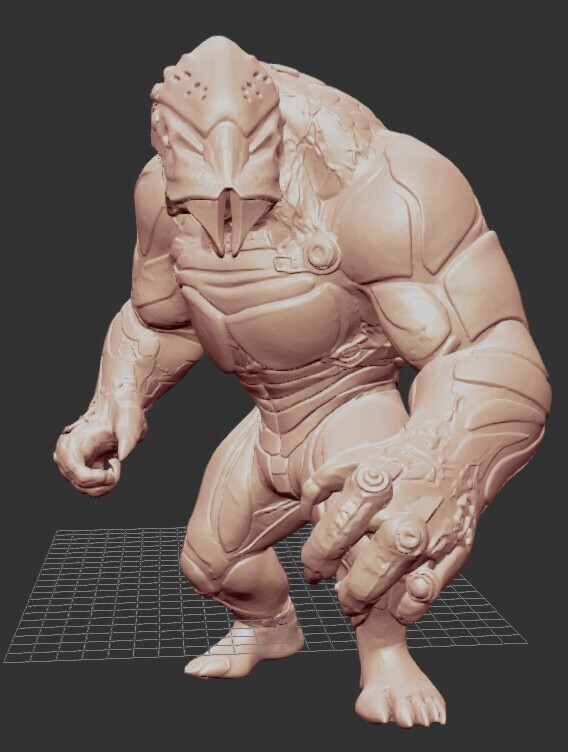
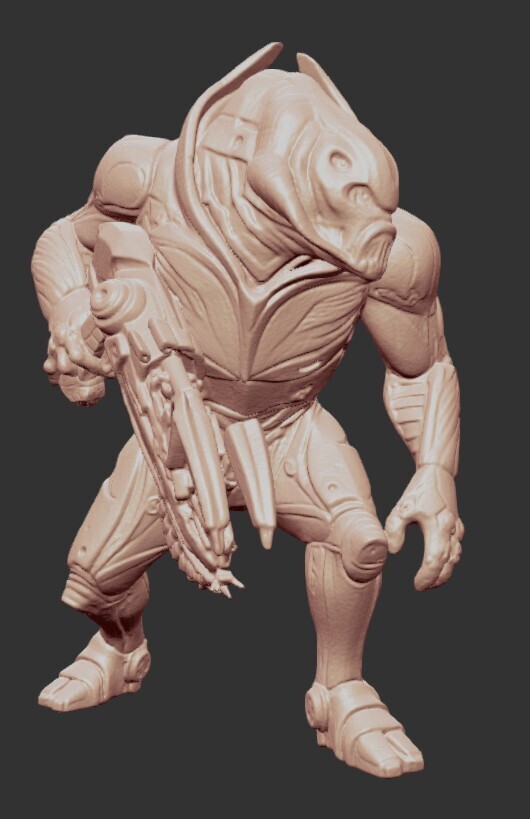
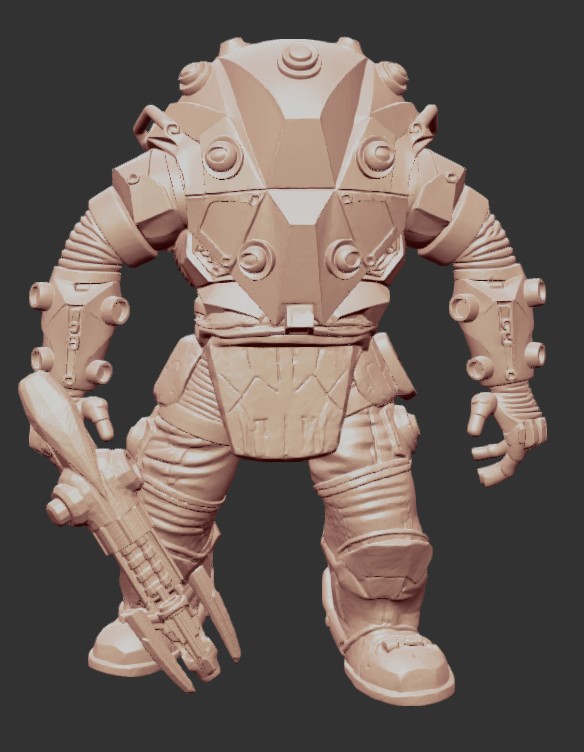
And here a couple of Marvel Wave 7: The Serpent, Deathcry, Carrion and Aegon...
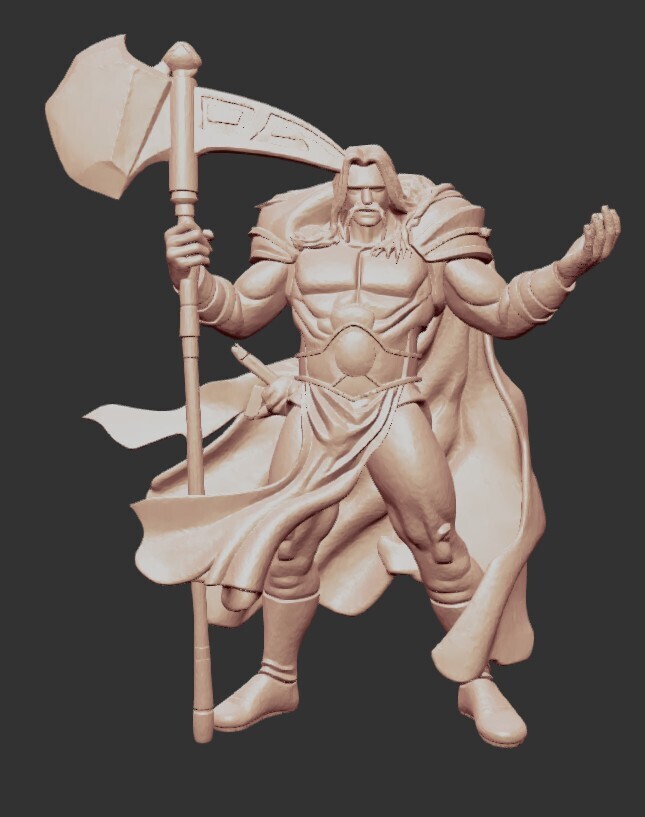
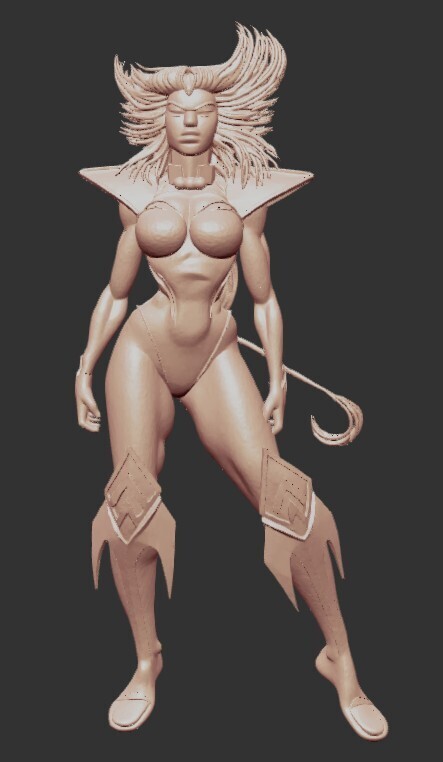
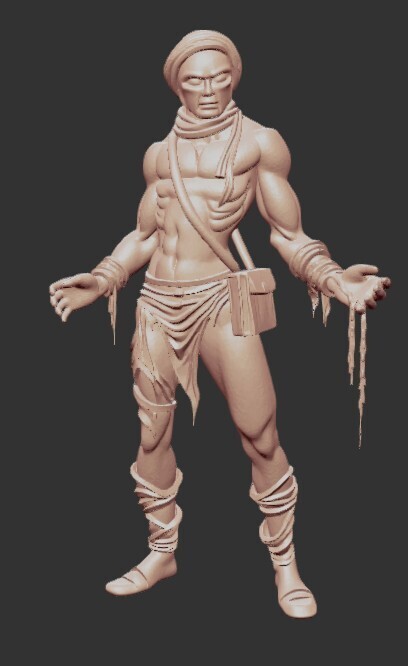
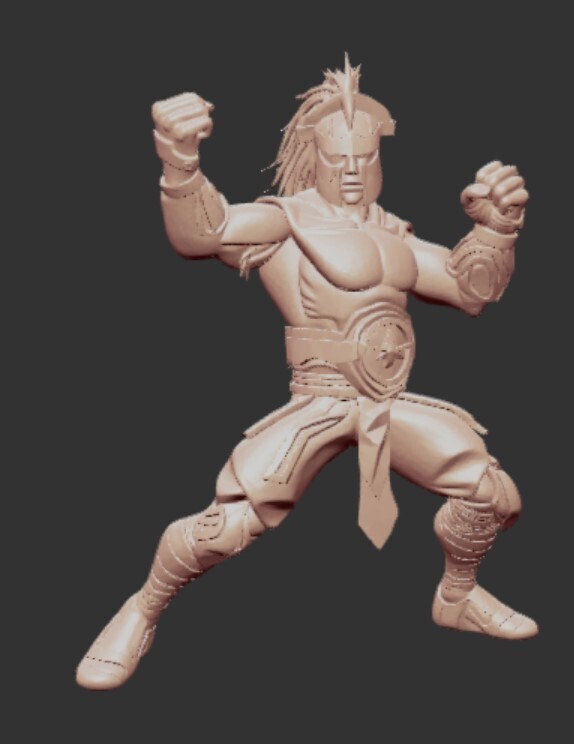
Hope you like them all!
Of course as usual you can download all of them FOR FREE and prin t them from my Cults3D web page by clicking here: SKIF MC CULTS3D
See you soon!


